
Dashboard — Settings Group
9 purpose-built sub-tabs for platform-wide configuration. Part of Chapter 7: The Dashboard.
Settings Group
The Settings group is a top-level container with 9 purpose-built sub-tabs for platform-wide configuration. It replaced the older single Config tab. Settings is one of four top-level groups in the dashboard nav:
Home · Review · Progress · Crucible · Governance · Runs · Cost · Actions · Replay · Traces · Skills · Tempering · Memory · Timeline · Inner Loop · Extensions
Health · Incidents · Triage · Security · Env · Watcher · Bug Registry
Studio (the reasoning orchestrator's home)
9 sub-tabs covering platform-wide configuration
Click Settings in the top nav and you'll see 9 purple-accented sub-tabs. Every tab persists changes to its specific config file via the dashboard's safe-write path (sanitizer drops unknown fields, snaps numbers to safe bounds, no UI bug can corrupt your config).
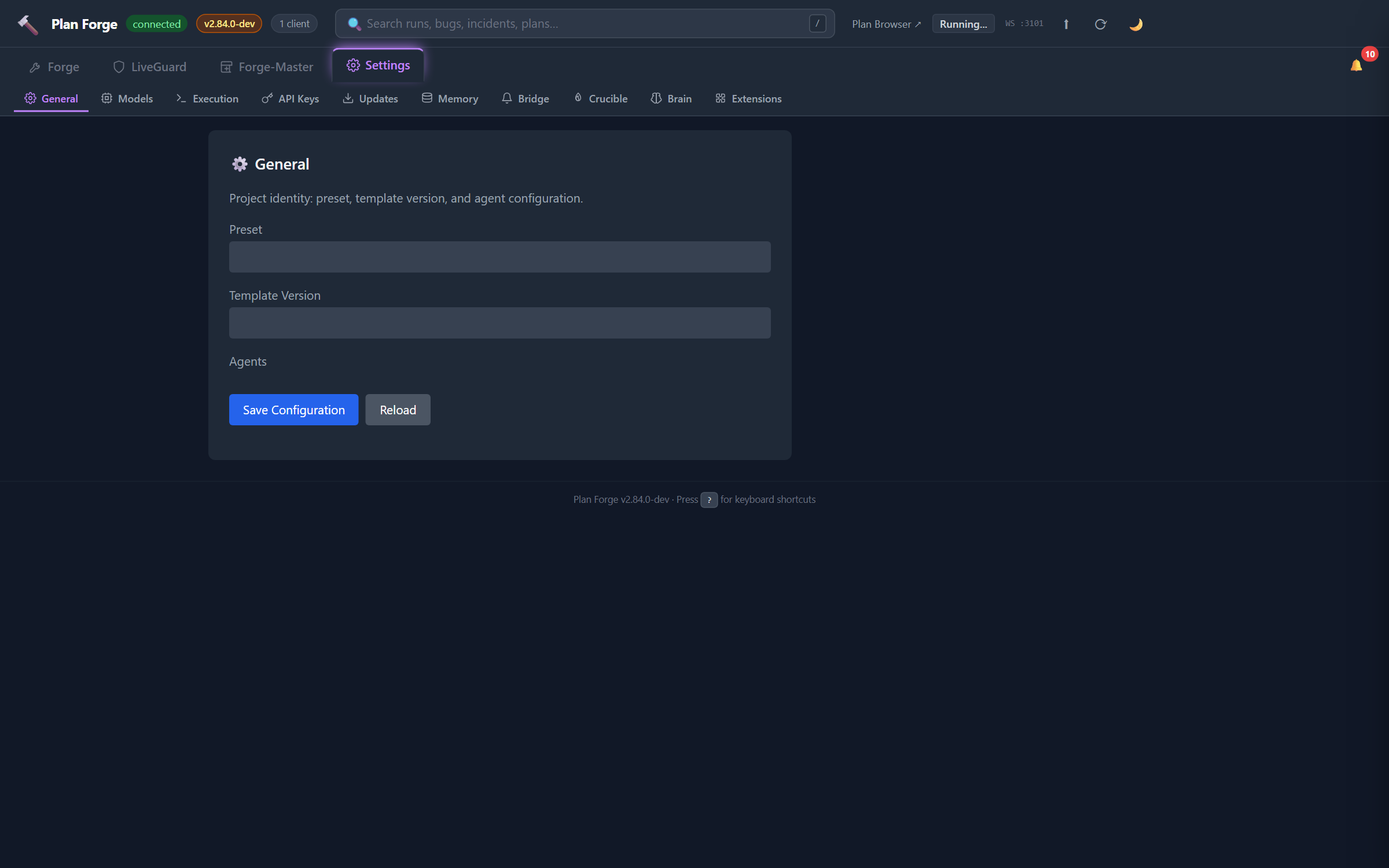
⚙ General
Project identity: preset, template version, and agent enablement.
- Preset, the stack profile applied during setup (dotnet, typescript, python, etc.). Read-only on this tab; change via
setup.ps1 -Preset <name>. - Template Version, current framework version applied to your project files.
pforge updatebumps this. - Agents, toggle which reviewer agents are active. Persists to
.forge.json#agents.
⚛ Models
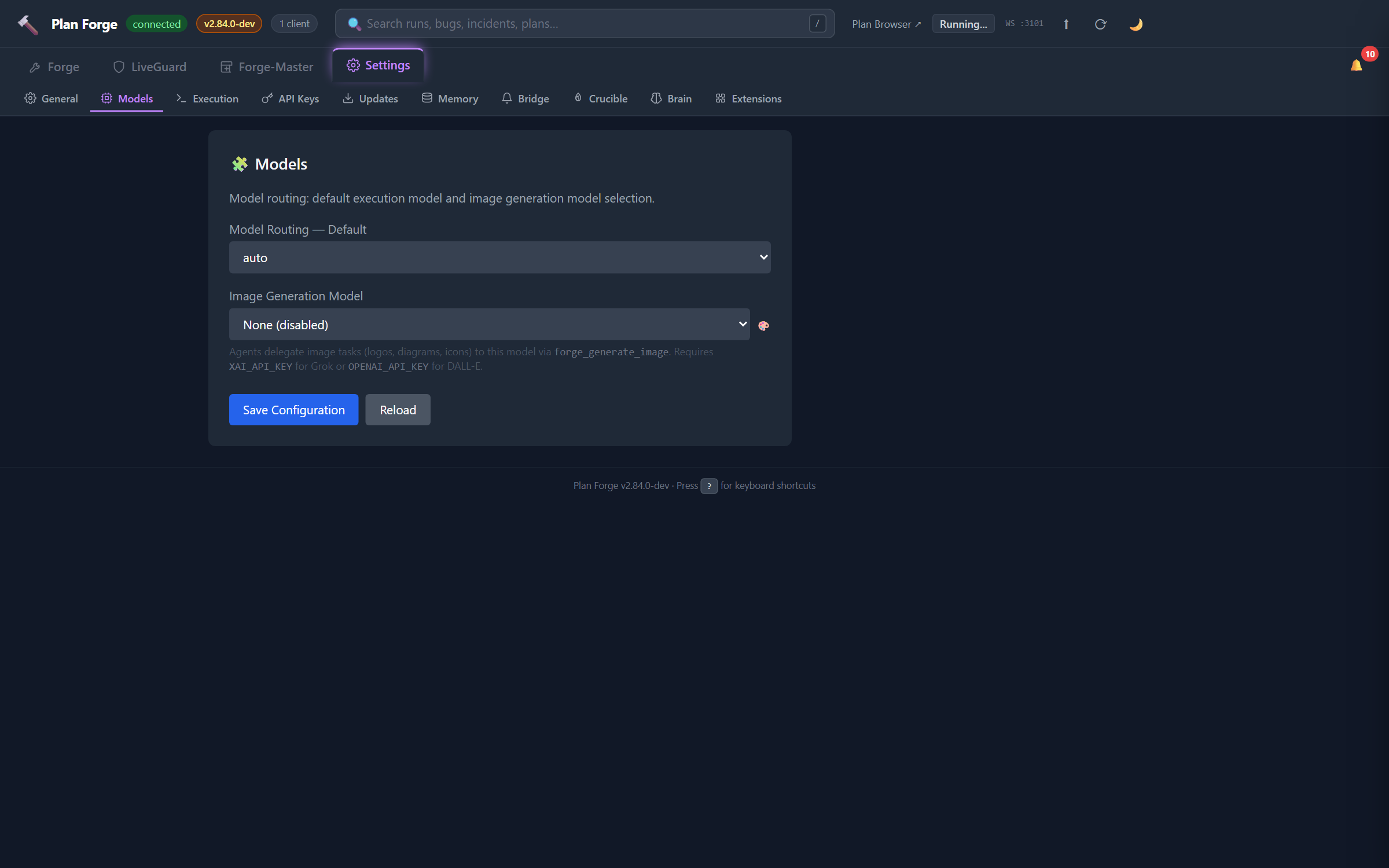
Model routing: default execution model and image generation model selection.
- Model Routing: Default,
auto(orchestrator picks per slice), or pin to a specific model - Image Generation Model, Grok Aurora (
XAI_API_KEY) or DALL-E (OPENAI_API_KEY) for diagrams and chapter heroes viaforge_generate_image
›_ Execution
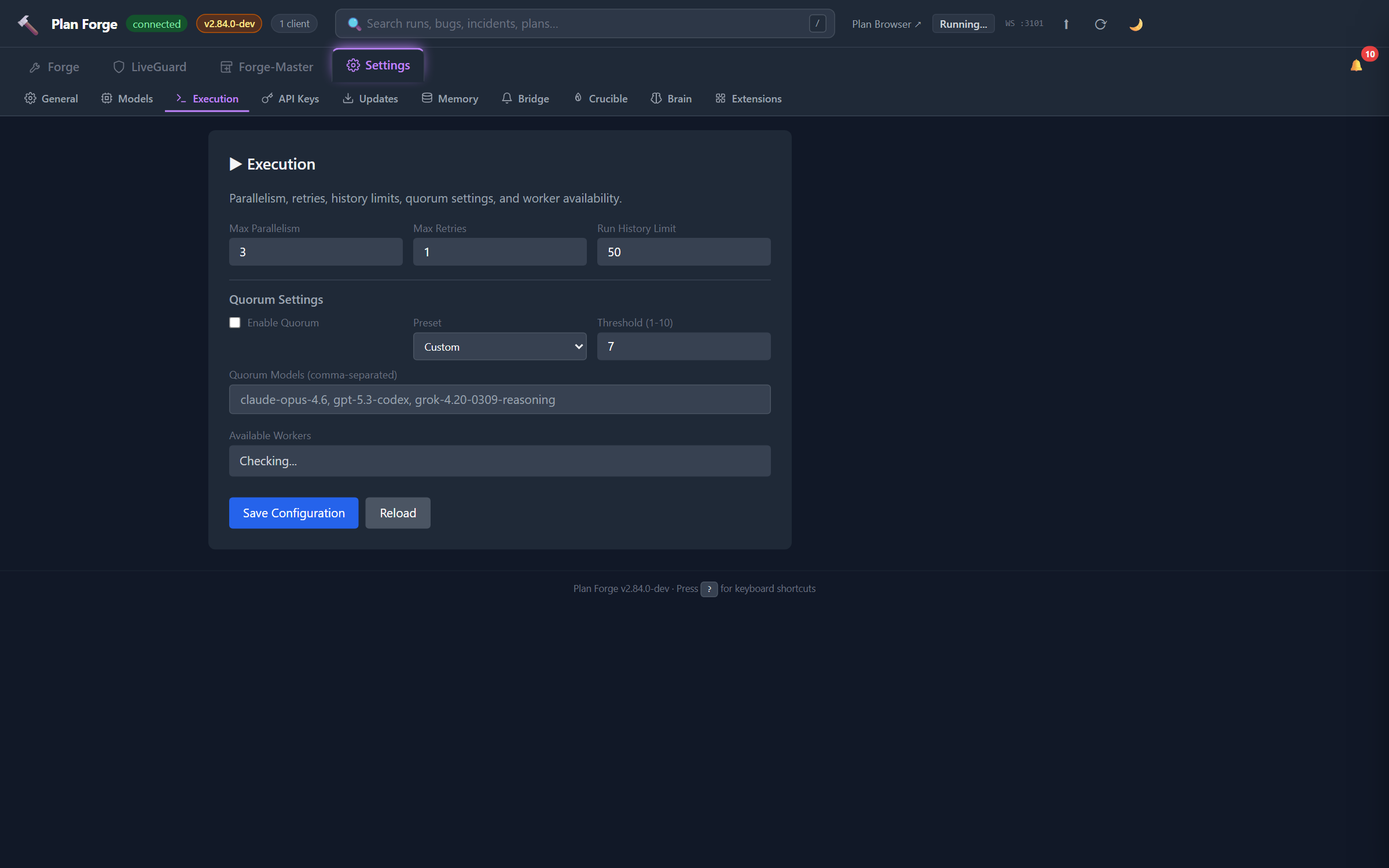
Per-slice execution behavior: quorum mode, escalation chain, complexity threshold, retry policy. The most-edited Settings tab during day-to-day work.
⚿ API Keys
Stores API keys in .forge/secrets.json (gitignored). Same precedence as env vars: anything set here is picked up by the orchestrator without restarting the server.
XAI_API_KEY, Grok models + Aurora image generationOPENAI_API_KEY, GPT models direct + DALL-E (also enables OpenAI fallback forCOPILOT_SERVABLEmodels)ANTHROPIC_API_KEY, Claude direct (Forge-Master + workers withoutclaudeCLI)
Values are masked on display. The "Test" button against each key validates by calling the provider's lightweight endpoint, never the full reasoning model.
↓ Updates
Framework version status + one-click pforge self-update from upstream. Surfaces version drift between your local VERSION and GitHub's latest release.
🗄 Memory
OpenBrain wiring: server URL, MCP credentials, project scope. See Chapter 21 — Memory Architecture for the three-tier model.
🔔 Bridge
Remote Bridge endpoints for Slack / Teams / PagerDuty / OpenClaw / Telegram / Discord. See Chapter 20 — Remote Bridge for the per-channel walkthrough.
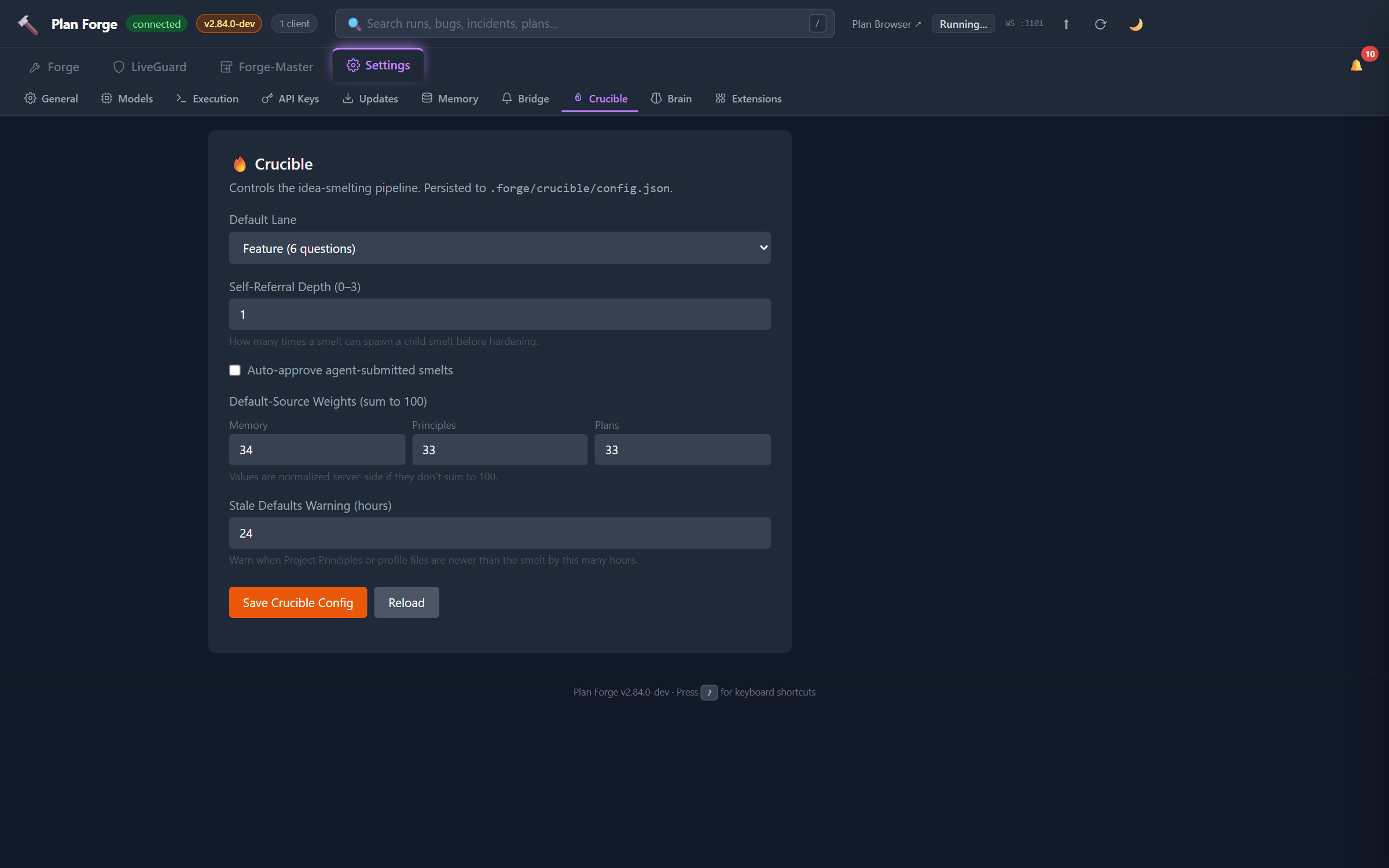
🔥 Crucible
Idea-smelting pipeline configuration. Persists to .forge/crucible/config.json.
- Default Lane,
tweak(4q) /feature(7q) /full(~12q). Lane controls interview length. - Self-Referral Depth, max child smelts a parent can spawn (0–3, default 1)
- Auto-approve agent-submitted smelts, when
source: agent, finalize without human approval (off by default) - Default-Source Weights, Memory / Principles / Plans (sum to 100). Server normalizes if you don't.
- Stale Defaults Warning, hours after which Principles/profile changes flag
STALE_PRINCIPLES/STALE_PROFILEin the interview
🧠 Brain
Forge-Master reasoning configuration: reasoningModel, routerModel, quorumAdvisory, embeddingFallback, direct-provider auto-select. See Forge-Master → Configuration for every field.
.forge.json#audit.mode (off | auto | always) and is toggled via the Audit Loop chapter. Drain results stream into the Tempering tab in the Forge group.
⚒ Forge-Master
Configuration for Forge-Master's autonomous background roles: the Observer (live narration of hub events) and the Auditor (automated post-run health analysis). Both are off by default — enable each role with one click here or by editing .forge.json directly.

Observer
The Observer is a mute-by-default background hub subscriber. When enabled it batches live plan events into 60-second windows and narrates notable patterns via the Forge-Master reasoning loop. Narrations are stored in Brain and stream to the Observer Narrations card on the main dashboard view.
| Field ID | Type | Default | Effect |
|---|---|---|---|
cfg-observer-enabled | checkbox | off | Enables/disables the observer process. Maps to forgeMaster.observer.enabled. |
cfg-observer-modeltier | select | inherit | Model quality tier for narration calls. inherit uses the Brain reasoningModel; other options: flagship, mid, fast. See Model tier dropdown below. |
cfg-observer-budget-usd | number | 0.10 | Daily USD spending cap. Rejects negative values. Maps to forgeMaster.observer.maxUsdPerDay. |
cfg-observer-budget-narrations | number | 6 | Hourly narration frequency cap. Rejects negative values. Maps to forgeMaster.observer.maxNarrationsPerHour. |
cfg-observer-batch-window-ms | number | 60000 | Event batch window in milliseconds. Lower values produce more frequent (and expensive) narrations. Maps to forgeMaster.observer.batchWindowMs. |
cfg-observer-brain-capture | checkbox | on | Whether narrations are written to Brain (via brain_capture) in addition to the hub event stream. Disable to reduce Brain storage usage. Maps to forgeMaster.observer.brainCapture. |
Auditor
The Auditor automatically invokes the Plan-Health Auditor agent after runs, writing reports to .forge/health/latest.md. Results are surfaced on the Auditor Latest Report card.
| Field ID | Type | Default | Effect |
|---|---|---|---|
cfg-auditor-modeltier | select | inherit | Model quality tier for auditor analysis. Same four canonical tokens as the observer tier. Maps to forgeMaster.auditor.modelTier. |
cfg-auditor-on-failure | checkbox | off | Invoke the auditor automatically whenever a run ends in failure. Maps to hooks.postRun.invokeAuditor.onFailure. |
cfg-auditor-every-n-runs | number | blank (off) | Invoke the auditor periodically every N runs. Leave blank to disable periodic invocation. Values 1–4 are rejected — the minimum opt-in value is 5 (reasonable cadence; see Resolved Decision in Phase-40 plan). Maps to hooks.postRun.invokeAuditor.everyNRuns. |
Model tier dropdown
Both the Observer and Auditor share the same four canonical model-tier tokens. The UI displays human-friendly labels while the backend stores the canonical token in .forge.json:
| UI label | Canonical token | Meaning |
|---|---|---|
| Inherit from Brain settings | null / inherit | Uses the reasoningModel configured in Settings → Brain |
| Flagship (best quality) | flagship | Highest-capability model in the configured provider (e.g., Claude Opus, GPT-4o) |
| Balanced | mid | Mid-tier model — good quality at lower cost |
| Fast (low cost) | fast | Fastest, cheapest model — suitable for high-frequency narrations |
Cross-references: forgeMaster.observer schema · forgeMaster.auditor schema.